

Skip Navigation
Small Arrows Left
Small Arrows Right
Large Arrows Left
Large Arrows Right
Map Dark Background Left
Map Dark Background Right
Map Light Background Left
 

Carrier 360 Help Center

Carrier Training

Welcome to the J.B. Hunt Carrier 360 Help Center. Carrier 360 provides an easy way to accept tenders, submit check calls and create and track invoices. Review the training materials below to get started in the app.

 
Reference Materials
 
Title PDFS
Carrier 360 Registering Passkey & Login

PDF

Introduction
Accepting and Rejecting Tenders

PDF

Driver Assignment Single Load

PDF

Driver Assignment Multiple Loads

PDF

Completing Check Calls

PDF

Managing Users
Invoicing Tasks
Understanding Payments

PDF

Scorecard Information

PDF

Tours on the Load Board

PDF

JBHT Trailer Use Reminder

PDF

Mobile Reference Materials
 
Title PDFS
Carrier 360 Mobile - Digital Documentation

 PDF 

Carrier 360 Mobile - Driver Overview
Carrier 360 Mobile - Manager Overview
 
Small Arrows Left
Small Arrows Right
Large Arrows Left
Large Arrows Right
Map Dark Background Left
Map Dark Background Right
Map Light Background Left
 

Videos

Book Now, Placing Offers

Assigning Drivers to Loads


Completing Check Calls

Invoicing Tasks


Service Monitoring


Connect Carrier 360 with your ELD provider

If you’re having trouble connecting Carrier 360 with your ELD provider, check out the troubleshooting guides below. 
 

Watch more videos about Carrier 360 on our YouTube channel


Related Articles

 
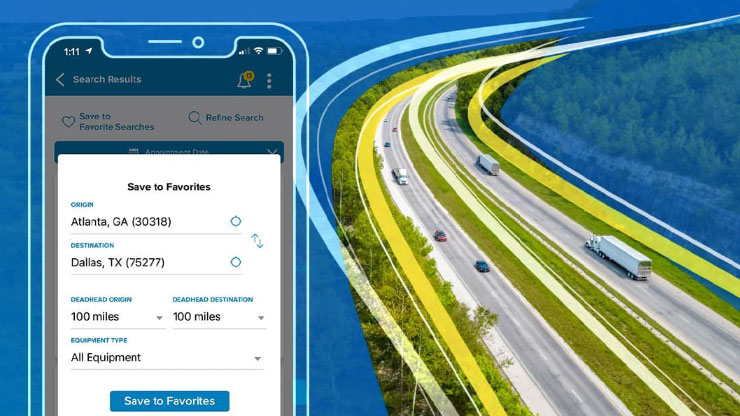
aerial view of a four lane highway next to a phone displaying the carrier 360 app

Easier Load Searching with Carrier 360

A J.B. Hunt driver closes and locks the doors on a semi trailer

Standardize Accessorials in Carrier 360

A cell phone displays the carrier 360 app

Boost Your Service with My Performance in Carrier 360

tractor trailer truck on a city highway at night

Simpler is Better: Easy Check Calls and Automated Detention